|
 |
Wii Channels - Platform: Wii - Console Games. | | |
| | | | |
| | | | | |
Browse by PC Games Title:
A |
B |
C |
D |
E |
F |
G |
H |
I |
J |
K |
L |
M |
N |
O |
P |
Q |
R |
S |
T |
U |
V |
W |
X |
Y |
Z |
0 - 9
| | | |
| | |
|
| | | | | |
The encyclopedia of game cheats. A die hard gamer would get pissed if they saw someone using cheats and walkthroughs in
games, but you have to agree, sometimes little hint or the "God Mode" becomes necessary to beat a particularly hard part
of the game. If you are an avid gamer and want a few extra weapons and tools the survive the game, CheatBook DataBase is
exactly the resource you would want. Find even secrets on our
page. | |
| | | | | | |
| |
|
|
| |
| |
Wii Channels - Platform: Wii

Photo Channel hints:
--------------------
At the photo viewer menu, use the Wii-mote to select the cat that appears on
the top title bar before it runs away. He will tell you hints about the
system.
If you do a mood change to a movie file, the sound also changes.
Press D-pad Down and select the eraser while doodling. This will undo some of
your changes.
During a slide show, press Plus or Minus to adjust the volume. You have more
volume options with MP3 files than you do with the default music.
Aim the pointer at a photo and press D-pad Up or Down and something will
happen around the pointer.
To easily move from a close-up of one photo to a close-up of the next, press
D-pad Left or Right.
While a photo is selected, press D-pad Up or Down and a censor-like blur will
appear over the picture. It either gets smaller as you move the Wii-mote
farther back or larger as you move it closer to the screen.
When you have many photos on your SD Card, you can press D-pad Up or Down to
scroll through them.
To easily create composite photos, first use the scissors to cut a piece out
of one photo, then move to the photo you want to paste that piece onto.
The scissors in Doodle can do more than just cut. Press 1 while you cut or
after you have cut.
If you hold some buttons down, you may be able to scroll faster.

Shoot fireballs:
----------------
When Mario or Luigi run across the screen in their Fire Flower costume while
downloading a game in the Shop channel, press B to shoot fireballs.
Moving Wii Channels around
When you move the Wii Pointer over a Wii Channel, hold A + B to move it to the
left, right, or the bottom. Note: You cannot move the channel that you are
playing games on.
| | |
Submit your codes! Having Wii Channels - Platform: Wii codes, cheats, hints, tips, trainer or tricks we dont have yet? |
Help out other Wii Channels Platform Wii players on the PC by adding a cheat or secret that you know! |
|
 Visit Cheatinfo for more
Cheat Codes, FAQs or Tips! Visit Cheatinfo for more
Cheat Codes, FAQs or Tips! | | |
| | |
| | |
|
| | | | | |
| |
| | |
| | |
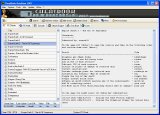 |
Spotlight - New Version CheatBook DataBase 2023 | |
CheatBook-DataBase 2023 is a freeware cheats code tracker that makes hints, Tricks, Tips and cheats (for PC, Walkthroughs,
XBox, Playstation 1 and 2, Playstation 2, Playstation 4, Sega, Nintendo 64,
DVD, Wii U, Gameboy Advance, iPhone, Gameboy Color, N-Gage, Nintendo DS, PSP, Gamecube, Dreamcast, Xbox 360, Super Nintendo) easily accessible from one central location. If you´re an avid
gamer and want a few extra weapons or lives to survive until the next level, this freeware cheat database can come to the rescue. Covering more than 26.800 Games, this database represents
all genres and focuses on recent releases. All Cheats inside from the first CHEATSBOOK January 1998 until today. - Release date january 8, 2023.
Download CheatBook-DataBase 2023 |
| | | | |
| | | | | | |
| | | | |
Top Games:
|
Cities: Skylines II Trainer
|
Dead Island 2 Trainer
|
Octopath Traveler 2 Trainer
|
Resident Evil 4 (Remake) Trainer
|
Wo Long: Fallen Dynasty Trainer
| |
|
| |